Camera Connection Wizard
The Camera Connection Wizard guides you through connecting 3D webcams to a computer for the first time. It is a 5 step process.
- Verify the hardware is connected
- Focus both lenses
- Test graphics acceleration
- Align the cameras using automated visual recognition or manual alignment
- User view 3D and verify alignment. Manually adjust if necessary
The connection wizard's primary goal is to test that the cameras are functioning, and store the alignment information for the 3D Camera Driver. Each time you use the 3D Camera, it will use these alignments to provide an optimal 3D experience.
Below are some screenshots of the application.
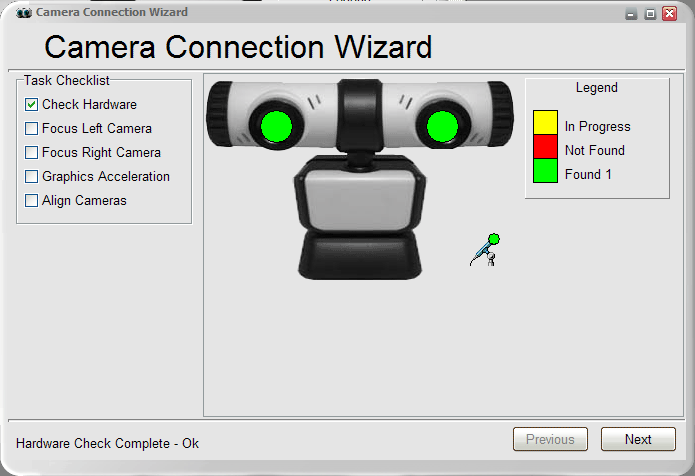
Step 1 - Verify the hardware is connected
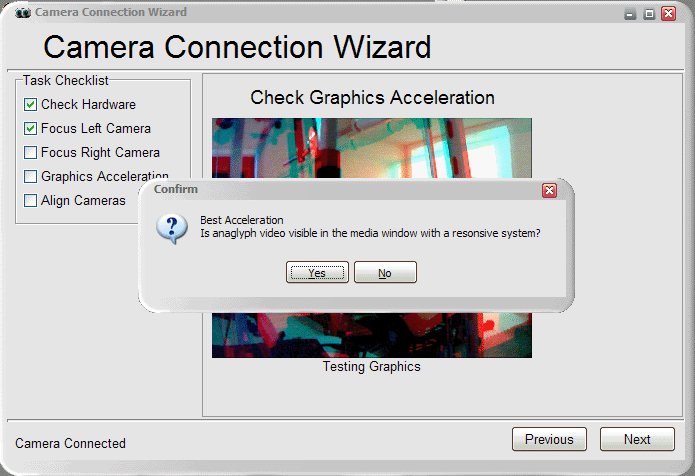
Step 3 - Test Graphics Acceleration